Four things this week. One of them is a pretty big deal.
Journals (Pro)
Here’s the thing about running a dynamic: Taskers know what their taskee does. Completions, streaks, points. What they don’t always know is how it’s landing. Is the morning protocol clicking or just going through the motions? Was that punishment too much? Bored? Thriving? Somewhere in between?
Journals fix that. Taskees get a private space to write entries. Taskers can read every one and react. A direct line into how the dynamic actually feels from the other side.
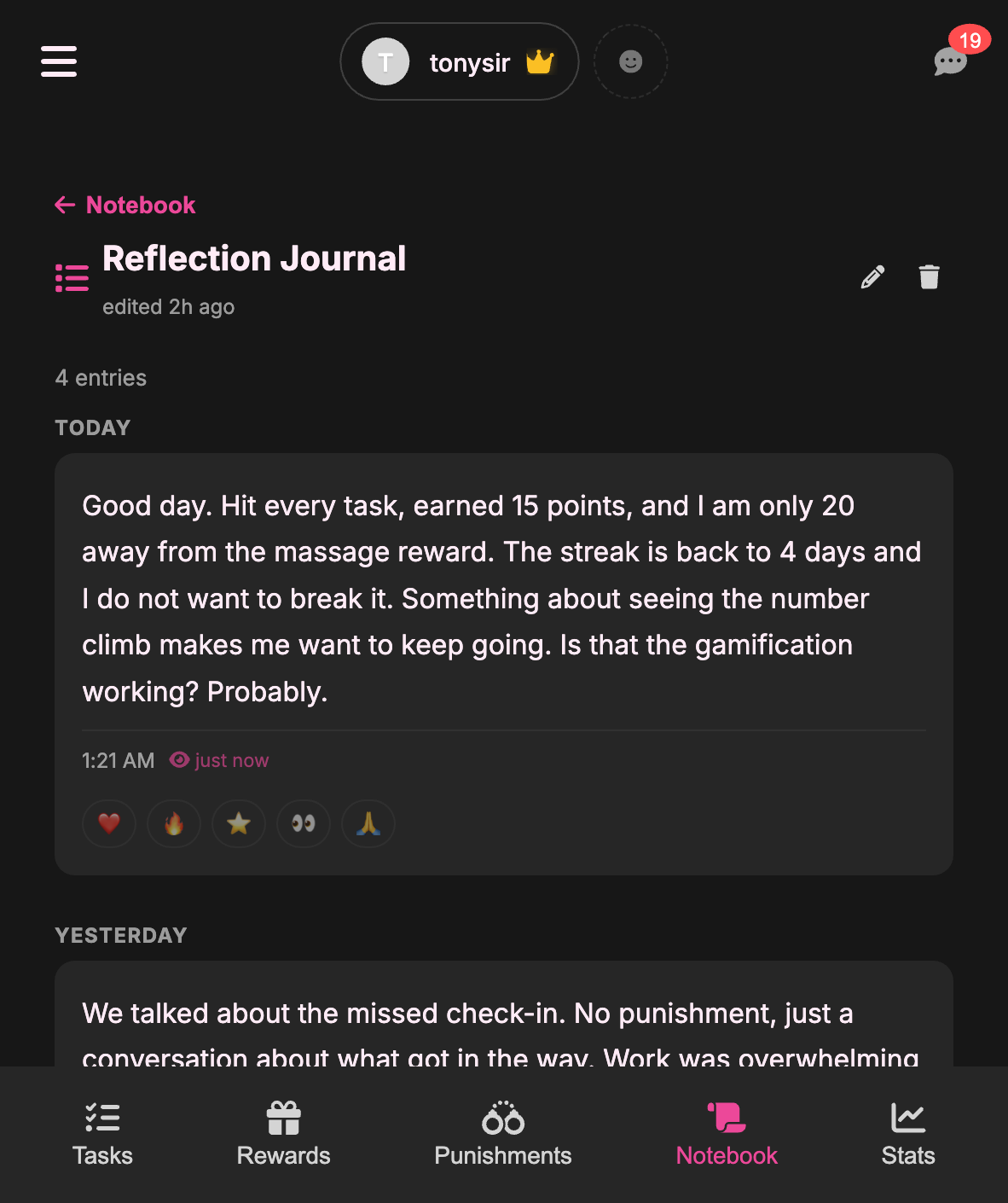
Append-only. Entries can’t be edited or deleted after they’re written. This isn’t a draft folder. If they wrote it, they meant it. That constraint is the whole point. A journal you can revise isn’t a journal, it’s a PR statement.
Read receipts. Taskers see when entries are read. Taskees see that their tasker saw it. Accountability runs both directions.
Reactions. Five options per entry. Sometimes a heart says more than a paragraph.
Guided prompts. For taskees who open a blank page and freeze. Optional, gentle nudges like “What felt hard today?” or “What are you proud of?”
Journals live in the Notebook tab, right alongside Notes. Pro feature.
Task Ideas
Every Tasker has hit this wall. You open the task creation form. You know you should assign something. You stare at the empty title field. Your brain produces nothing.
“Need task ideas?” is a collapsible panel at the top of the create task screen. Tap it, and you get categorized suggestions: Household & Chores, Wellness & Habits, Devotion & Connection. Tap any chip and it pre-fills the form. Done. Move on with your life.

If you’ve saved Task Kits, those tasks show up here too. So that Kit you built three weeks ago keeps paying dividends even when you’re not thinking about it. There’s also a “Browse Task Kits” link that takes you straight to the Kit Portal if you want more inspiration.
This is for day two of the dynamic and day two hundred. The blank screen problem doesn’t go away with experience, it just gets more annoying.
Kit Groups
Task Kits were flat. Every task, reward, and punishment lived in one big list. That worked fine for small kits, but if you were building something structured, like a multi-week program or a phased onboarding, you had to explain the structure in a designer’s note and hope people figured it out.
Now kits have groups. A group is a named section: “Week 1: Foundations”, “Week 2: Structure”, whatever you want. Each group gets its own tasks, rewards, punishments, and notes. Users can import one group at a time or grab the whole kit.
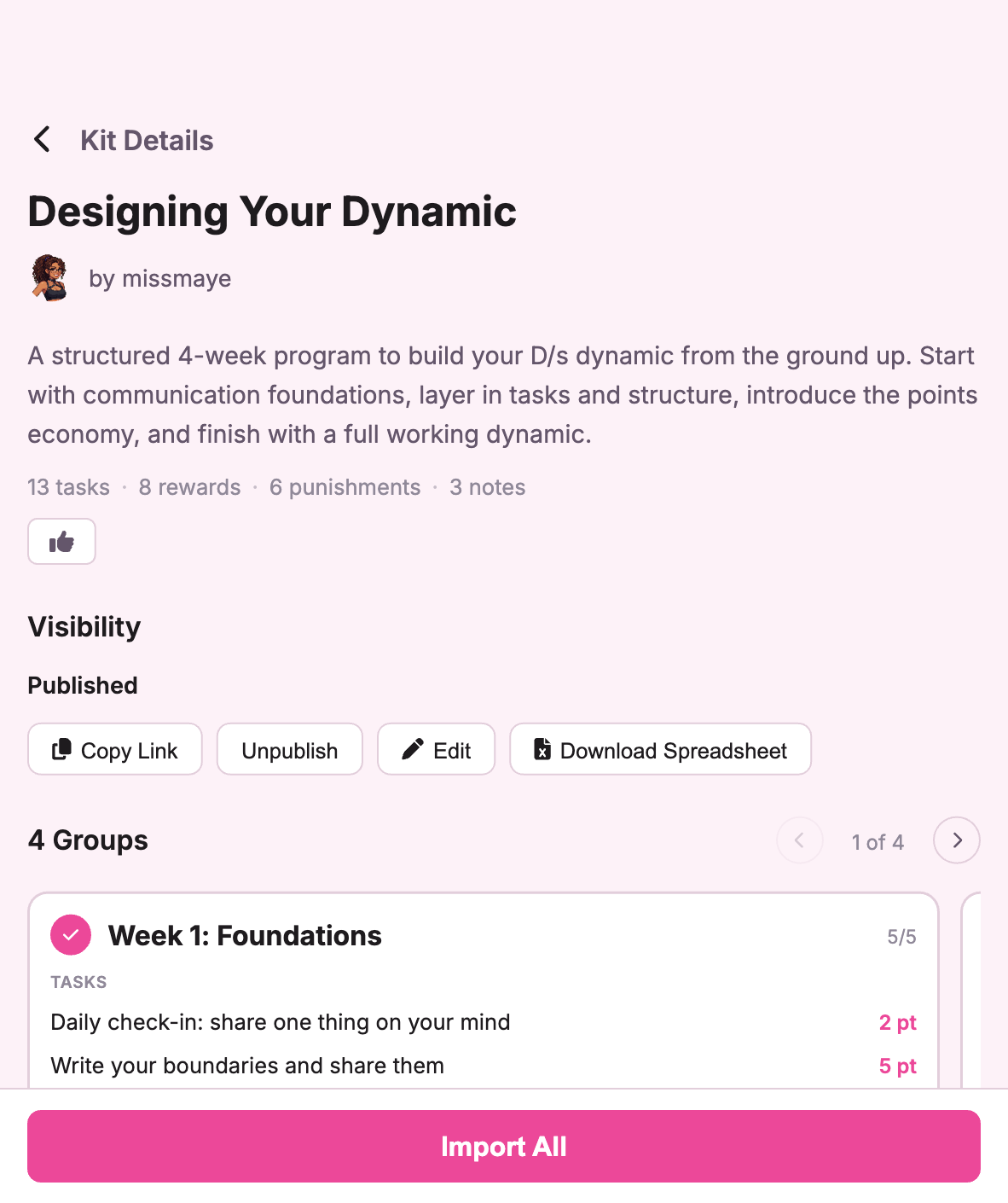
For kit creators: groups are optional. Flat kits still work exactly the same. But if your kit has phases, use them.
Tasker Status
Mood status used to be taskee-only. Taskers can set one now too. Same deal: pick an emoji, add a short note, it shows on the dashboard. Both sides of the dynamic, visible at a glance.
Small feature, but it came up enough in feedback that it was worth doing. The dynamic isn’t one-directional, and the status shouldn’t be either.
Questions, feedback, or kit recommendations? hello@subtasksapp.com. We read everything.