

Three things shipped. One of them is a pretty big deal.
The Shop is open
Your Taskee’s been earning points. Every completed task, every streak, they stack up. And then… nothing. The only things points could buy were the rewards you set up. If you haven’t built out a full reward shop yet, or the cheapest thing costs 200 points and they have 90, those points are just a number that goes up.
That’s not a great economy.
The Shop fixes it. Power-ups are a set of system-built items Taskees can buy with their earned points, always available, no setup required on your end. Things that give them actual agency inside the game: protect a streak they’ve been building for months, buy breathing room on a deadline that snuck up on them, take a full day off without everything unraveling.
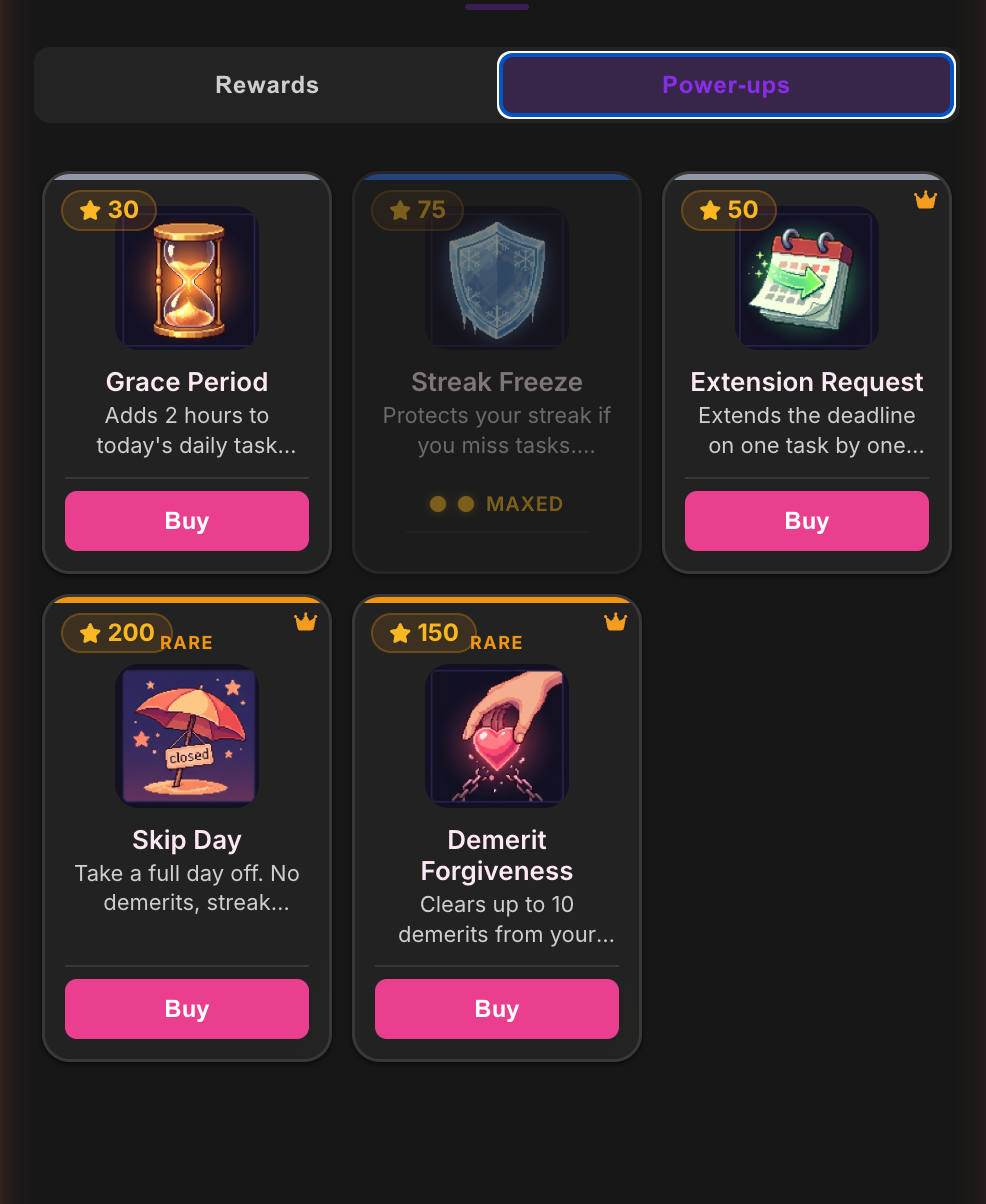
The interesting thing isn’t the items themselves. It’s what they do to the economy. Every point is now a real decision. Do you spend now on something you need today, or hold out for that reward you’ve been working toward? That tension is the game working the way it’s supposed to.
Rewards and power-ups both live in the Shop tab.
Taskers run the store
Every power-up is under Tasker control. Toggle them on or off. If something doesn’t fit your dynamic, turn it off.
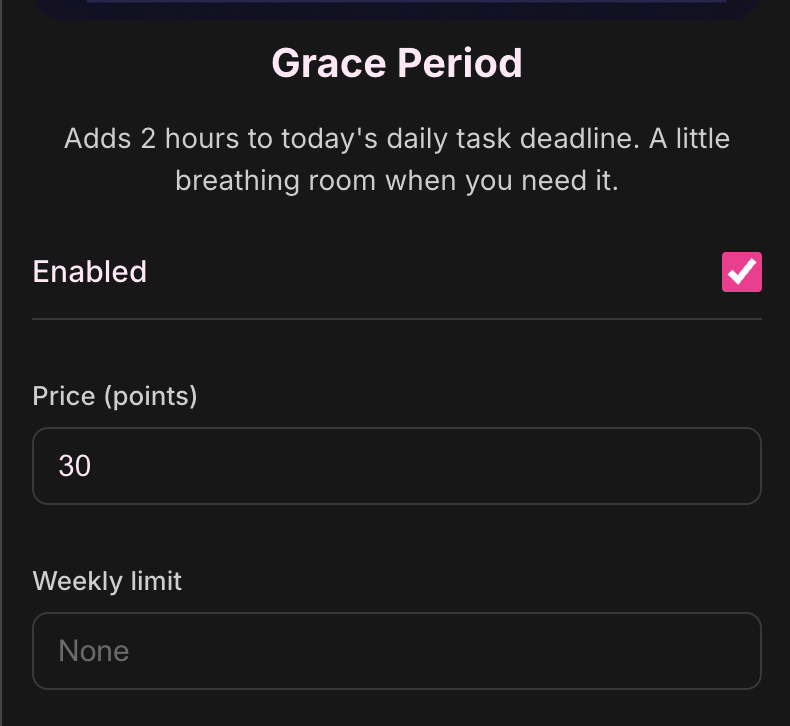
Pro Taskers get more: custom prices and weekly purchase limits per item. And this part matters more than it might seem. The pricing is an economy design decision. If a power-up is too cheap in your dynamic it stops being a real choice. It’s just free. Price it to match the stakes you’ve built. Cap weekly uses if you want it to feel scarce. The defaults are sensible, but your economy isn’t default.
Shop config lives in the Shop tab under Manage Shop.
Five languages
Spanish, German, French, and Brazilian Portuguese are in. The whole app translates: tasks, notifications, settings, onboarding, the shop. Change your language in Settings under your profile.
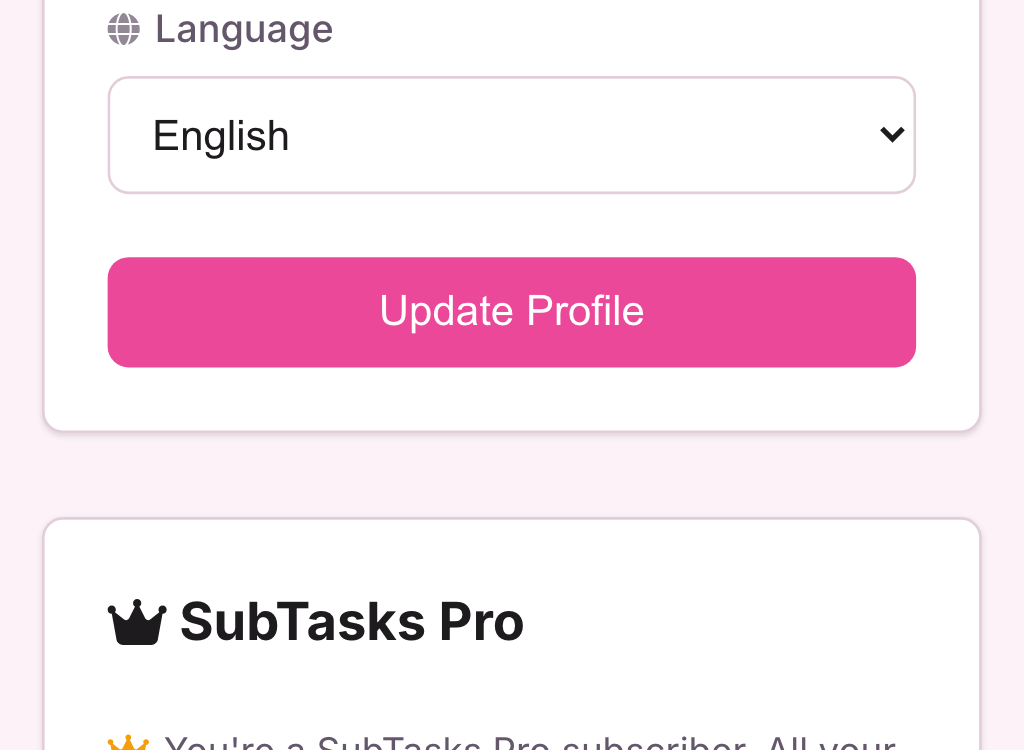
A few edge-case strings might still slip through in English while we track them down. If you spot something that missed translation, the report button in Settings sends it straight to the backlog.
Task due times (Pro)
Tasks have always had due dates. Now they can have a due time too.
Set a task due at 10pm and the auto-demerit fires at exactly 10pm. Not midnight. Not “sometime today.” The reminder notification goes out at the right time. The “due today” label becomes “due at 10pm.”
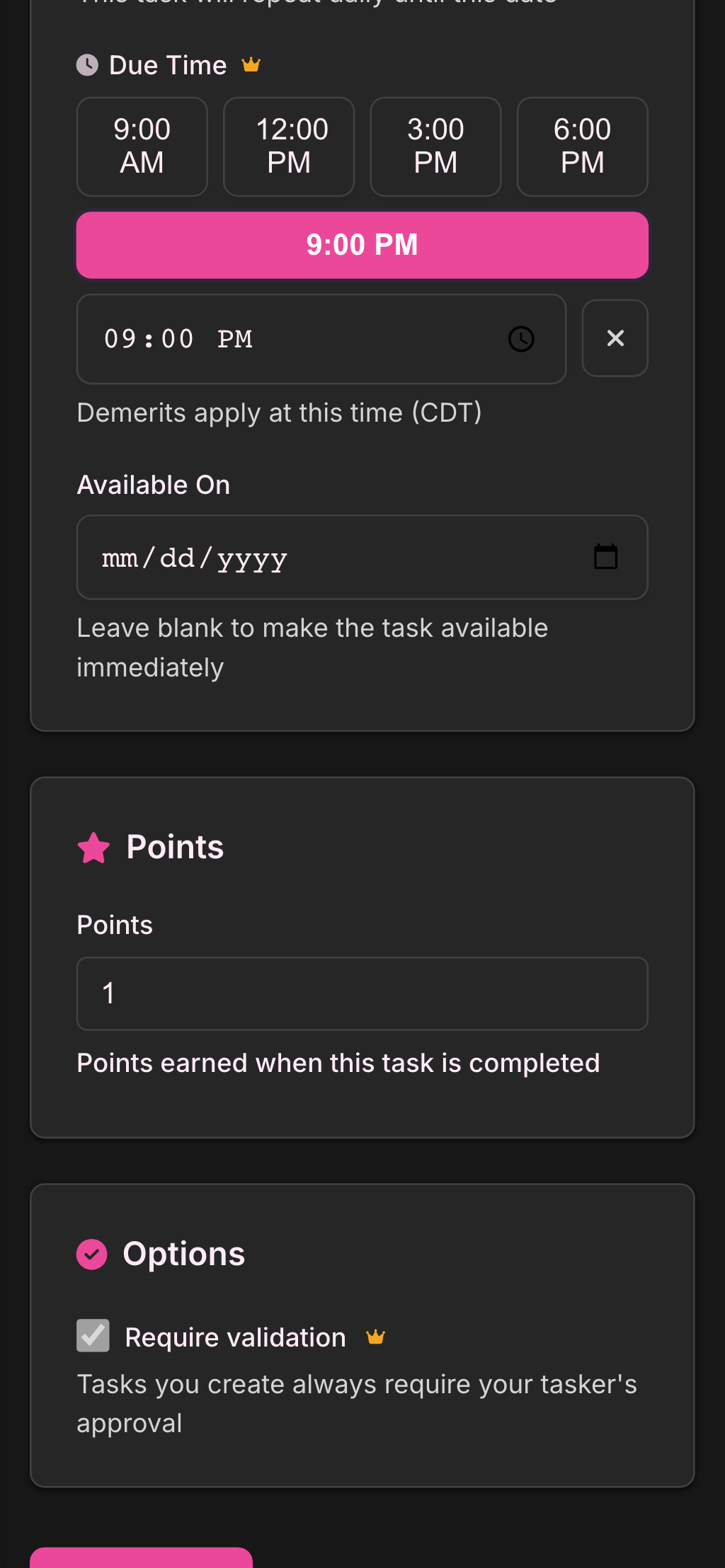
Works on one-off tasks, daily recurring, and weekly. One constraint: midnight isn’t valid because “due at midnight” is genuinely ambiguous. The app wants a specific time, not an existential one.
Set it in the task creation or edit form, in the same section as the due date.
Questions, feedback, or thoughts on your shop economy: hello@subtasksapp.com. We read everything.