

Six weeks of work just landed. A button people have been asking for, kits that finally bring their habits along, and a bug sweep long enough that we stopped counting. Start with the button.
Fail a task the moment it is missed
A task got blown off and you both knew it. The old app still made you wait until the relationship day reset for the consequence to land, so a miss at noon just sat there, obvious and unresolved, for the rest of the day.
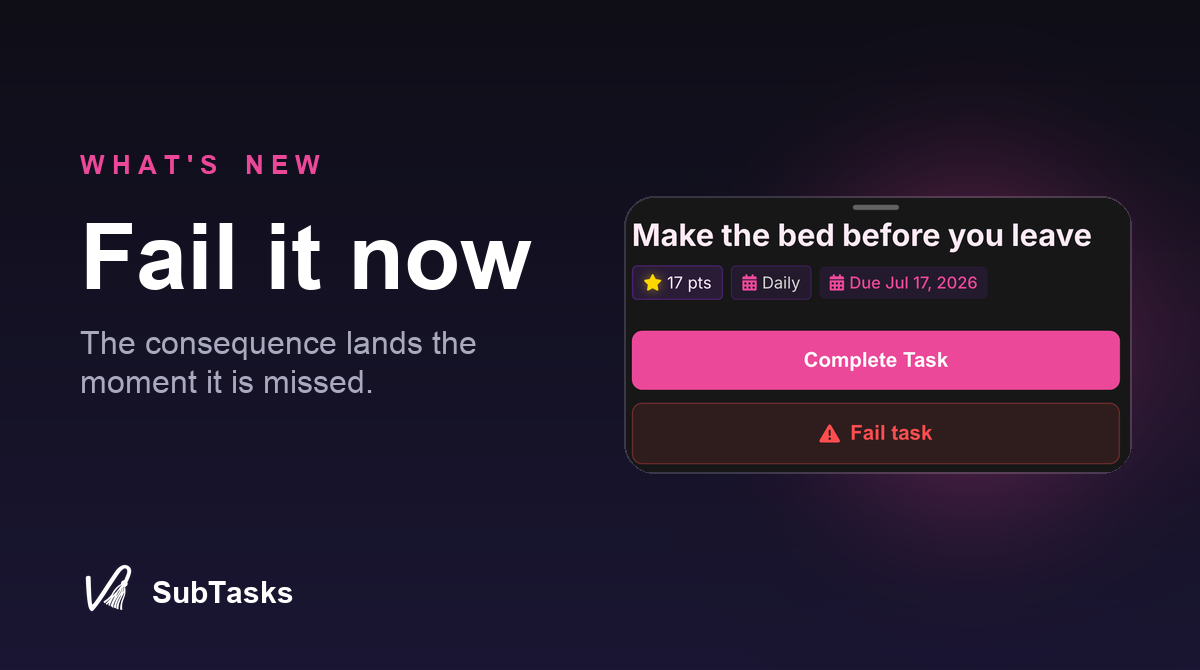
Now it does not have to. Open the task, hit Fail, and its configured consequence fires right then: the demerit, the assigned punishment, or a spin of the wheel if that is what the task carries. No waiting for midnight, no pretending it did not happen.
Either partner can pull the trigger. A Tasker can call a miss the second they see it, and a Taskee can own one the moment it happens instead of waiting to be caught. Changed your mind, or hit it by accident? A five minute Undo sits right next to the button for whoever pressed Fail. It only applies to tasks that are live right now, so you cannot fail something that is already done, already waiting on review, paused, or not yet available.
Your kits pack the habits too
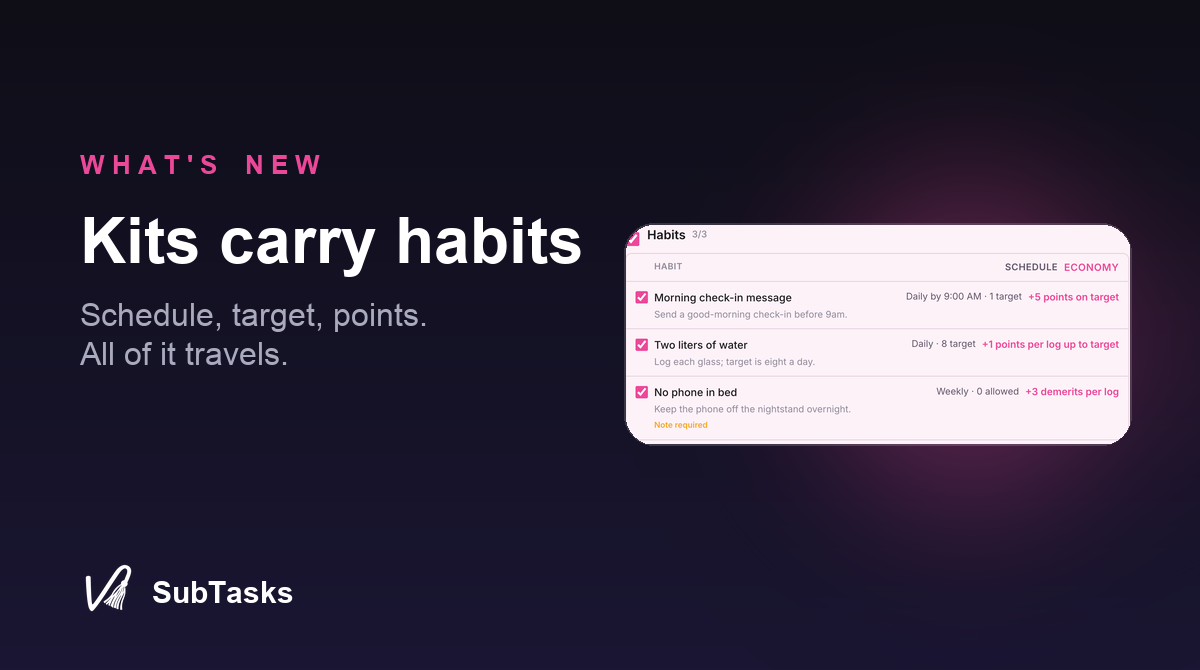
Building a Task Kit used to leave your habits behind. You could hand someone a whole dynamic, tasks and rewards and punishments, and the recurring stuff, the part that builds a routine over time, never made the trip. They would install your kit and then rebuild every habit by hand.
Now a kit carries its habits in full. The schedule, the target count, the points, the demerits, the review settings, and the note or proof requirements all travel with it. Install a kit and the habits show up configured exactly the way they were built, ready to run, not as bare titles someone has to wire up again from scratch.
The dashboard stopped fighting you
A pile of smaller changes that add up to a calmer app.
- A real grab handle for reordering. Drag mode used to be a guessing game about where to grab a card. Now reorder mode gives tasks and habits a visible handle, and while you are in it, taps and swipes step out of the way so the handle is the only thing that moves anything.
- Collapsed columns behave. Collapse a dashboard section on desktop and it shrinks to the space it needs instead of leaving a wide empty gap, and it stays collapsed the next time you open the app.
- Taskees can build habits too. If a Tasker has turned on task management for their Taskee, that now covers habits, not just tasks. Same setting, more reach, no new toggle to hunt for.
- Tags start shared. When a Tasker makes a tag it is visible to their partner by default now, with a single toggle to hide a category when it should stay private. And a tag filter stays put even when it currently has no matching tasks, so the view does not collapse out from under you.
- Habits join Manage mode. Select mode used to skip right over habits. Now you can select them alongside tasks and act on the batch.
And a long list of things that just work now
The stuff you only notice by its absence.
The economy plays fair again. Streaks stop breaking on a missed weekly task when your rule only needs one completion that day. A task waiting for approval no longer flips to overdue while it sits in the queue. Scheduled tasks stop firing their punishment the second they become active. Missed and late tasks add their automatic demerits again, and grace-period rewards expire on their real duration instead of at midnight.
The free-form note editor stops bleeding unsaved text into a different note, so a draft stays with the note you were writing it in. Paused tasks stay visible and stop getting completed or deleted by accident, and you can reactivate them even from an app that has been sitting open for days. Habit reordering saves, the Habits tab stops flashing an empty screen while it loads, and undoing a habit no longer throws a confusing error.
Solo users can add and manage their limits and desires without needing a partner, and tasks built before pairing now pick up proper approval and consequences once you link. On phones: Android login stops looping after the verification code, pasted or autofilled codes with spaces work, and sharing your stats from iOS stops timing out. Plus a handful of crashes cleared out behind the scenes.
That is the drop. Questions, feedback, or your thoughts on any of it: hello@subtasksapp.com. We read everything.
- Rob