

Three weeks since the last drop. Co-op Mode opens a shared board without Tasker and Taskee roles, tasks can run on a clock, a calendar finally answers “what is due Thursday,” and Vacation Mode no longer asks who your subscription is with.
Twenty minutes means twenty minutes
Some tasks are not done when the box gets ticked. They are done when the time has been served. Kneel for twenty minutes. Practice for an hour. Sit with it, whatever “it” is tonight. Until now the app had no opinion about any of that, and everyone involved was on the honor system.
Tasks can carry a timer now. Taskers set a duration, anywhere from one minute to twenty-four hours, and decide what that duration means. There are two flavors:
Track the time. The clock records what happened and notifies when the interval is up, but finishing early is allowed. Good for “spend some real time on this” tasks where the point is presence, not endurance.
Require full duration. The task means “do this for at least this long,” and the app enforces it. The Finish button does not unlock until every second has elapsed. No negotiating with the button. We tried, it does not care.
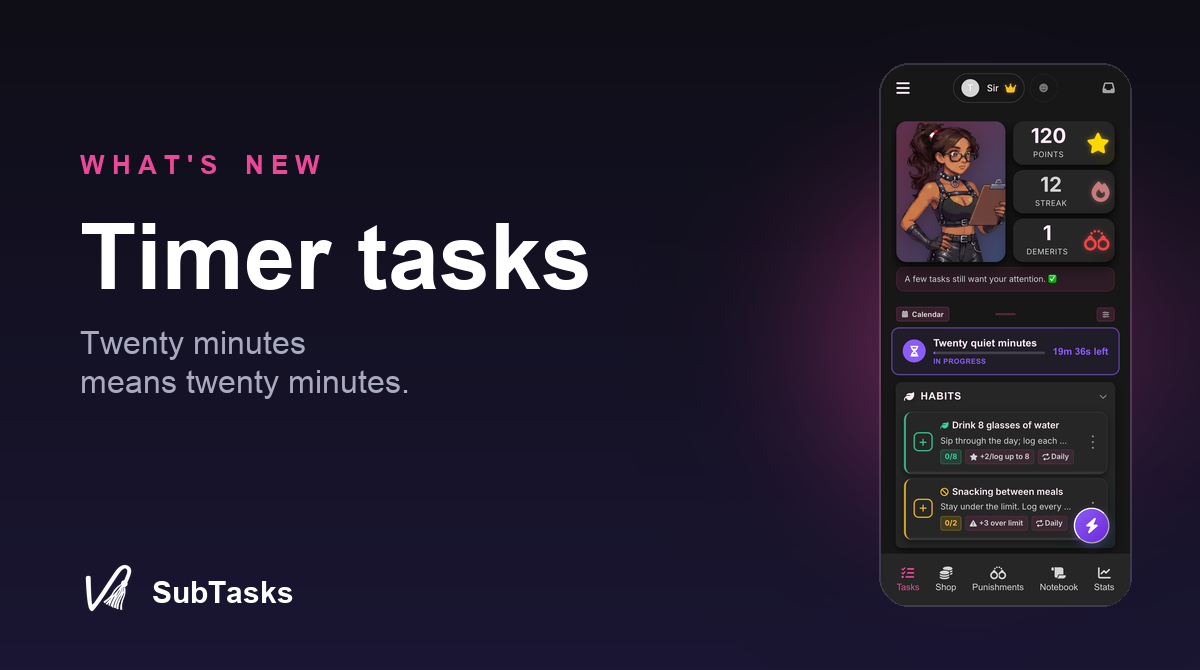
Taskees stay in control of when it starts: hit Start when actually ready, not when the task happens to get assigned. While it runs, the task shows as in progress with the remaining time visible from both sides, so nobody has to text “are you doing the thing?” The answer is on the screen.
Everything else about the task works exactly the way tasks already work. Points, photo or note proof, approval, demerits, consequences, all of it. Starting the timer proves nothing and awards nothing; finishing does, same as always. And if a run needs to end early for a good reason, Taskers can release it deliberately with Complete now. The override exists, it just lives on the side of the dynamic that is supposed to have it.
Timers work on one-off tasks, regular tasks, and punishment tasks. Which, yes, means a punishment can now be a timer. We are aware of what we have done.
You asked for months. Here are the months.
This one came straight from Discord: “let me look at a specific date to see what is due.” Reasonable. What we had instead was a task list and some recurrence math you were expected to do in your head, which is how “what does Thursday look like” became a research project with a wrong answer.
There is a Calendar button on the Tasks tab now, next to Manage. It opens a month grid showing how many tasks land on each day, and tapping a day lists exactly what is due. Both sides of the dynamic get it, Taskers for planning the week, Taskees for bracing for it.
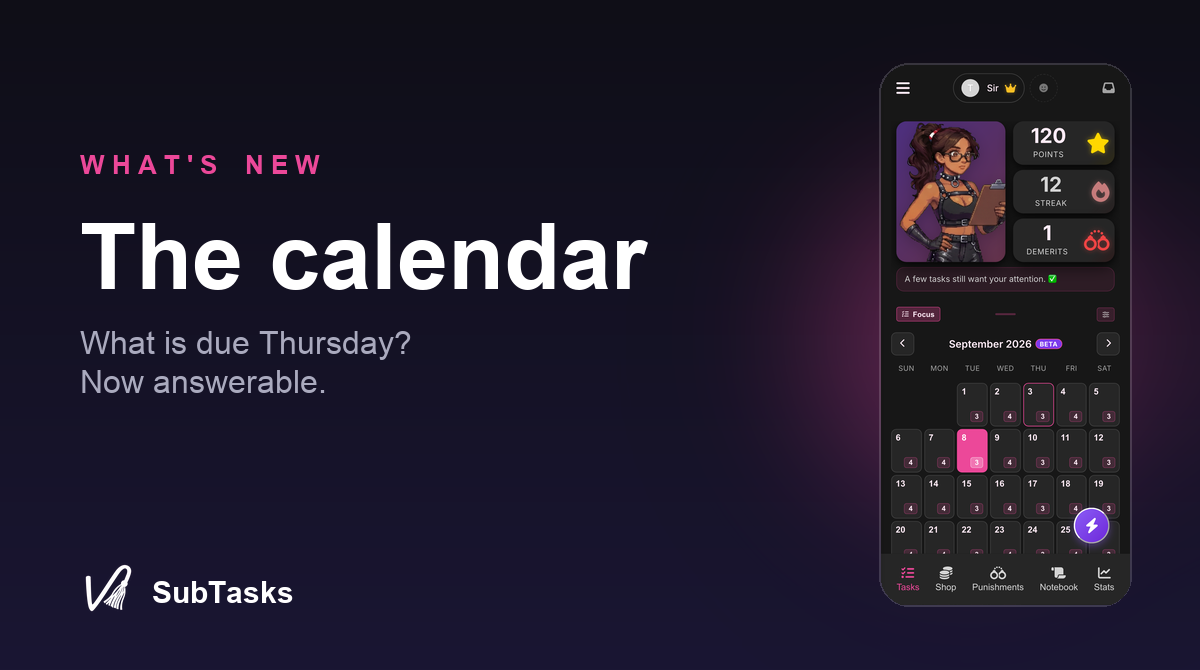
A couple of details we sweated so you do not have to. Weekly and monthly tasks that do not have a fixed day show up as open this week instead of squatting on all seven days, because a calendar where everything is due every day is just a wall. And the week starts on the day your language expects: Monday if the app runs in Spanish, German, or French, Sunday for English, Portuguese, and Japanese.
This is a view of what is due, not a sync to Google Calendar. External calendar sync is a different animal with real privacy questions attached, what exactly do we write into a calendar another company hosts, and we would rather answer that question carefully than quickly.
Vacation Mode belongs to everyone now
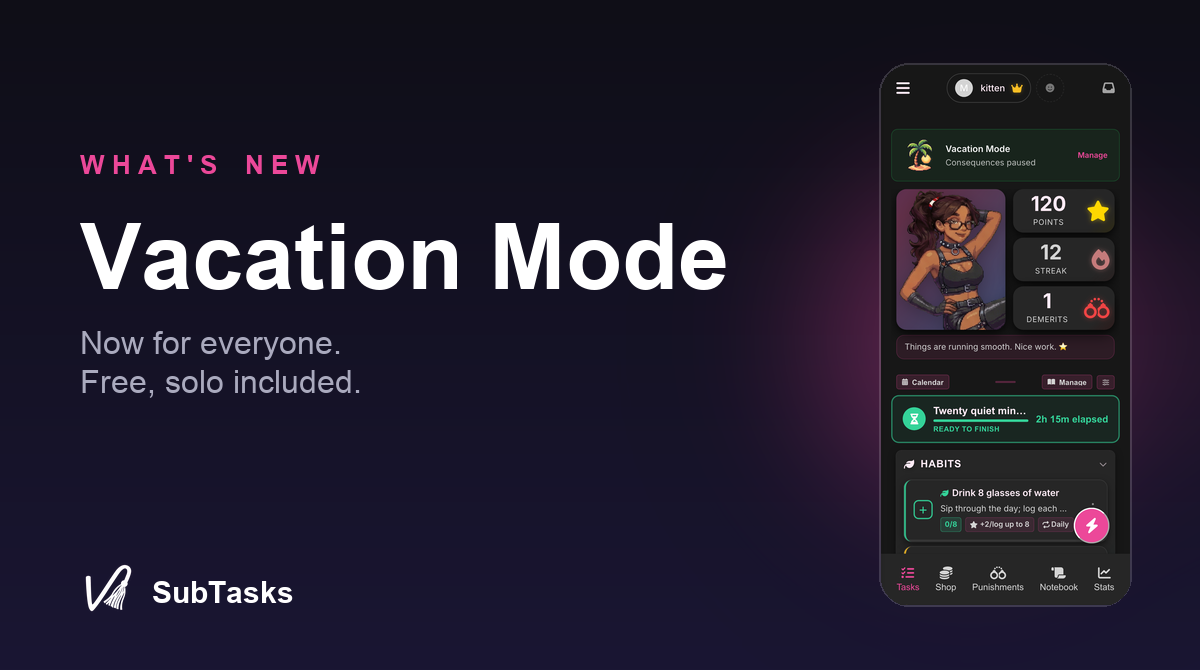
Last drop, Vacation Mode was in the Pro beta lane and we said so. It graduated. Every dynamic has it now, free, no beta toggle, no Pro badge. Solo included.
The recap, for anyone who skimmed last time: one switch pauses the entire pressure side of the game. Demerits, streak breaks, automatic consequences, reminders, all quiet. The game itself stays on: tasks remain visible and completable, points stay earnable, rewards stay redeemable. Anyone who wants to keep playing on vacation still can, and the streak freezes at its current value instead of dying.
Turning it off is gentle by design. Pressure resumes on the next task day, so the day you flip the switch stays protected, and nothing is retroactively punished for the time away. Vacation is a clean exemption, not a deferral. There is no wall of demerits waiting at the door.
Taskers own the switch, both partners see the banner while it is on, and reminders now genuinely stay silent for the whole stretch. They used to sneak through in the beta. They have been dealt with.
The task form learned to take it slow
The full task form is a cockpit. Powerful once you know it, a wall of switches the first dozen times, and we watched enough new users bounce off it to stop pretending otherwise.
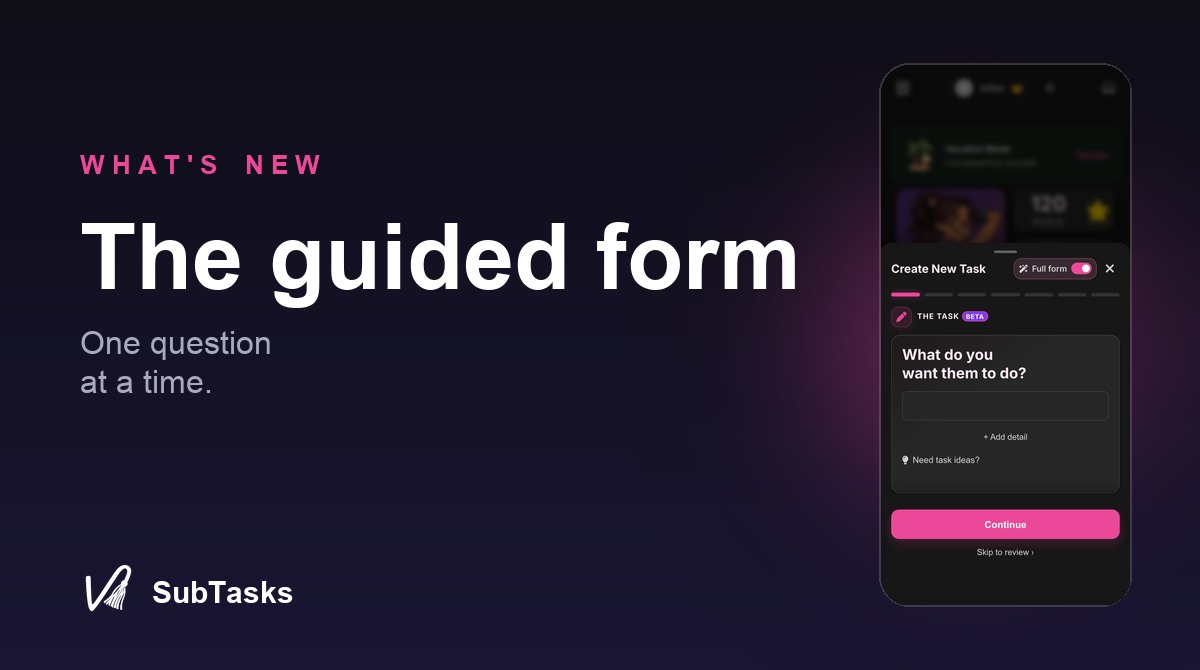
There is a guided mode now. It walks through creating a task one question at a time, name, schedule, timer, reward, consequence, and gets you to a complete task without ever showing you all forty controls at once. The full form is one tap away the whole time, your timer and Lightning settings survive the switch, and the app remembers which mode you prefer and opens it next time. Cockpit people keep their cockpit. Nobody is being onboarded against their will.
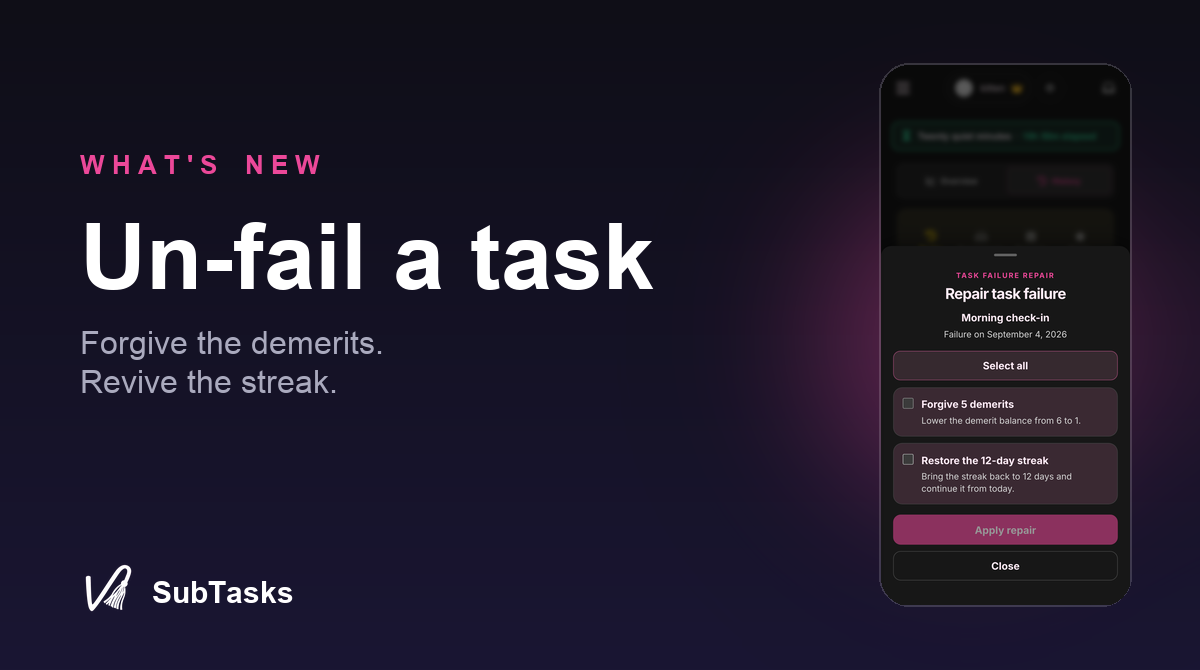
Un-fail a task
A missed task used to be permanent history. The demerits stood, the dead streak stayed dead, and no amount of making it right afterward changed the record. Which is a strange rule for an app built around dynamics where repair is half the point.
Taskers can now repair an individual failure straight from task history, and this one is available to everyone, no beta toggle required. The failed task gets marked repaired, its demerits are forgiven, and if that particular miss is what killed a streak, the streak comes back. It works from either task-history view, one failure at a time, deliberately. This is not a bulk amnesty button.
Whether a failure gets repaired is entirely the Tasker’s call. Some misses deserve grace, some deserve exactly what they got, and the app now supports both readings instead of enforcing one.
The beta lane, currently
Co-op Mode: share the board
Co-op Mode is for people who want to run the work together instead of splitting into Tasker and Taskee roles. Both partners can create and complete shared Tasks, manage and log Habits, manage Rewards, use the shared Points balance, and keep the same shared Notebook and progress. Role-directed punishments, demerits, and completion reviews stay outside the shared board.
Choose Co-op when inviting a new partner, or request the switch from Relationship Settings. Your partner confirms the change, and your existing Tasks, Habits, Points, history, and content stay put.
Co-op Mode, timers, the calendar, and the guided task form are in the Pro beta lane today, the same lane Vacation Mode and task repair just graduated from. Pro members can switch them on right now: tap your partner at the top of the screen, open the gear on their card, and turn on Beta features. Everything in the lane is a candidate for general availability once it has survived contact with all of you.
Task Kits got faces
Kits have been shipping with the visual charisma of a filing cabinet. Creators can now upload a custom cover image for their Task Kits, and kits without one get a clean generated look instead of a gray rectangle. Covers on public kits go through the same image moderation as everything else public, so browsing stays safe.
And the rest
Pro relationships can hold more now: more active tasks, more reusable rewards and punishments, more notes. The platform safety caps are still there, they just stopped being the thing a serious economy bumps into.
Achievements only show what you can actually earn. Solo players stop staring at partner trophies that were never available to them, and paired players stop seeing solo ones.
Buying something from us finally sends a purchase confirmation email, like a normal store. We know. We are as surprised as you that it took this long.
If the app runs in Spanish, German, French, Portuguese, or Japanese, the Help Center now calls every button exactly what your screen calls it. Around 7,500 places where the instructions said one thing and the screen said another, gone.
Bug sweep: proof photos in task history point at the right completion again instead of showing broken icons. Taskees can edit habit details again. Solo users can reach relationship settings again, the gear was hiding. Task groups show in the same order on both sides, Due This Week before Any Time. Completing a period that is already done now says so instead of silently shrugging. Hitting a creation limit shows a clear message about what to do instead of a generic error. The description field resize handle is reachable again. And the Shop stopped falling over when a saved custom Wheel pointed at a reward that no longer exists.
That is the drop. Questions, feedback, or your thoughts on any of it: hello@subtasksapp.com. We read everything.
- Rob & Meghan